With over 1.1 billion users globally, Excel remains the world's most popular data tool. But turning spreadsheets into meaningful visualizations has always required hours of manual work with pivot tables, charts, and complex BI tools.
VibeFactory's AI Dashboard Generator changes that. Upload your Excel file, describe what you want in plain English, and get a fully functional, interactive dashboard deployed to the web in seconds.
👆 Live Dashboard - This is an actual embedded VibeFactory dashboard. Try interacting with it!
Why Use an AI Dashboard Generator?
Seconds, Not Hours
Traditional Excel dashboard creation takes hours of manual formatting and chart configuration. AI generates complete dashboards in under 60 seconds.
Smart Visualization Selection
AI analyzes your data structure and automatically selects the most appropriate chart types, bar charts, line graphs, pie charts, or tables.
Instant Web Deployment
Your dashboard is automatically deployed to a shareable URL. No need to configure hosting, servers, or business intelligence platforms.
Natural Language Customization
Describe changes in plain English: "Add a pie chart for category breakdown" or "Make the header blue." No formulas or code required.
Why VibeFactory for Excel Dashboards?
Real Performance Metrics
Average deployment time from Excel upload to live dashboard
Code required, describe what you want in plain English
Intelligent Data Analysis
VibeFactory's AI examines your Excel structure, identifies numeric vs. categorical columns, detects date patterns, and automatically selects appropriate visualization types.
- • Automatic column type detection
- • Smart chart type selection
- • Relationship identification
Production-Ready Output
Generated dashboards are immediately deployed to a live URL. Share with stakeholders, embed in presentations, or integrate into existing workflows, no additional setup required.
- • Instant shareable URL
- • Mobile-responsive design
- • Interactive filters and charts
Iterative Refinement
Not satisfied with the first result? Continue the conversation. Ask for different chart types, color schemes, additional metrics, or layout changes, the AI updates your dashboard based on feedback.
- • Natural language modifications
- • Preserves previous customizations
- • Unlimited revision iterations
Full Code Ownership
Export your dashboard's source code to GitHub at any time. You own the code completely, host it yourself, modify it, or embed it in your own site.
- • One-click GitHub export
- • Standard React/TypeScript code
- • No vendor lock-in
Secure Private Dashboards
Keep sensitive data safe by generating private dashboards. Password-protected access ensures only authorized users can view your analytics and business intelligence.
- • Password-protected access
- • Public or private visibility toggle
- • Secure sharing for sensitive data
How to Create a Dashboard from Excel in 6 Steps
Upload Your Excel Spreadsheet
Click the upload area or drag and drop your .xlsx or .csv file directly from your computer. The AI dashboard generator accepts standard Excel formats and CSV files.
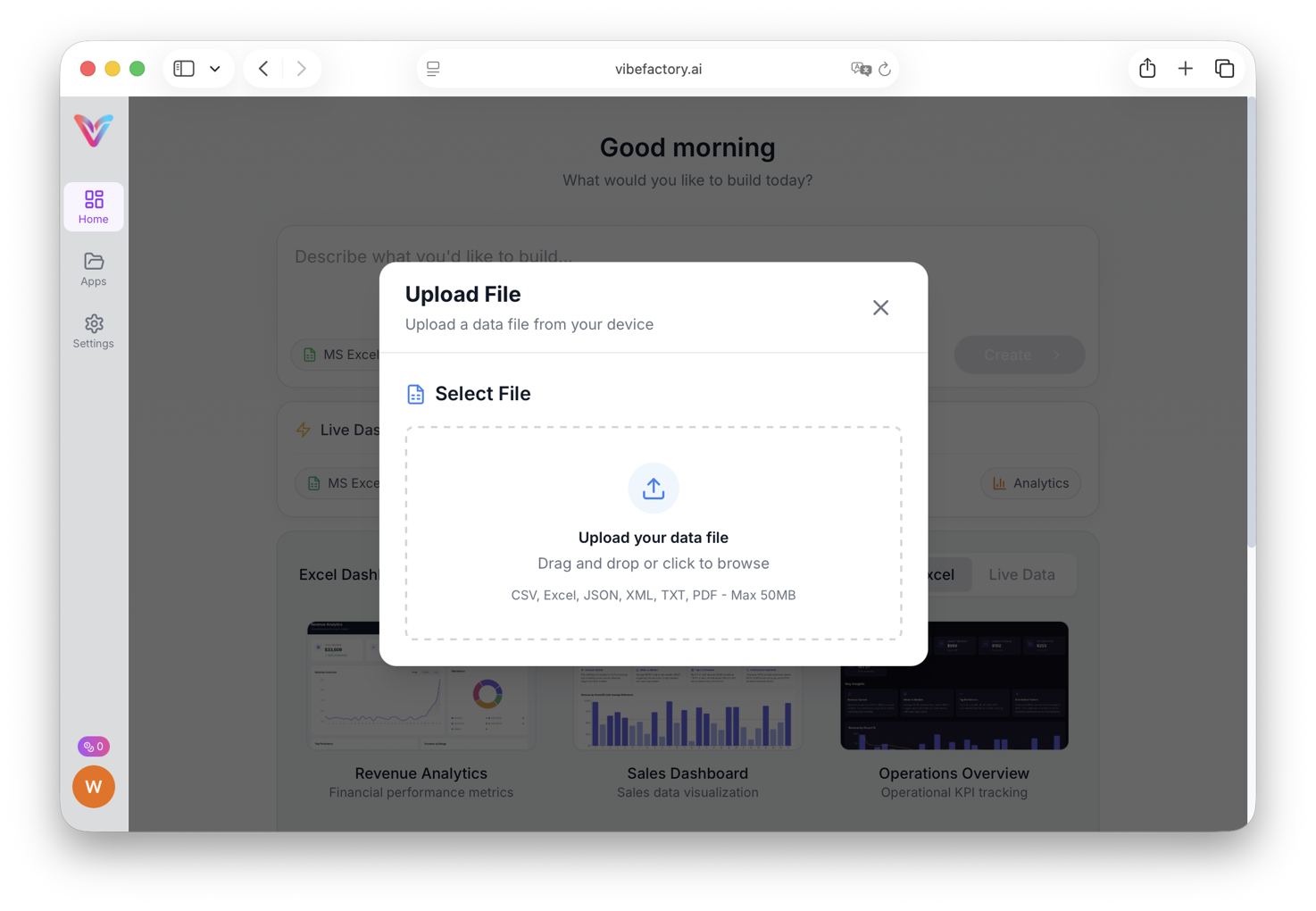
Select your Excel or CSV file from your computer
Select a Dashboard Template
Choose from a curated collection of professionally designed dashboard templates to use as a starting point. When you select a template, the AI preserves the exact visual layout — charts, colors, KPI cards, and styling — and only swaps in your data columns and labels.
Why use a template?
- • Pixel-perfect results — your dashboard looks exactly like the template you chose
- • Faster generation — the AI only needs to adapt data references, not design from scratch
- • Consistent quality — every template is tested and production-ready
- • Use your own projects — any dashboard you've previously created can be reused as a template for new data
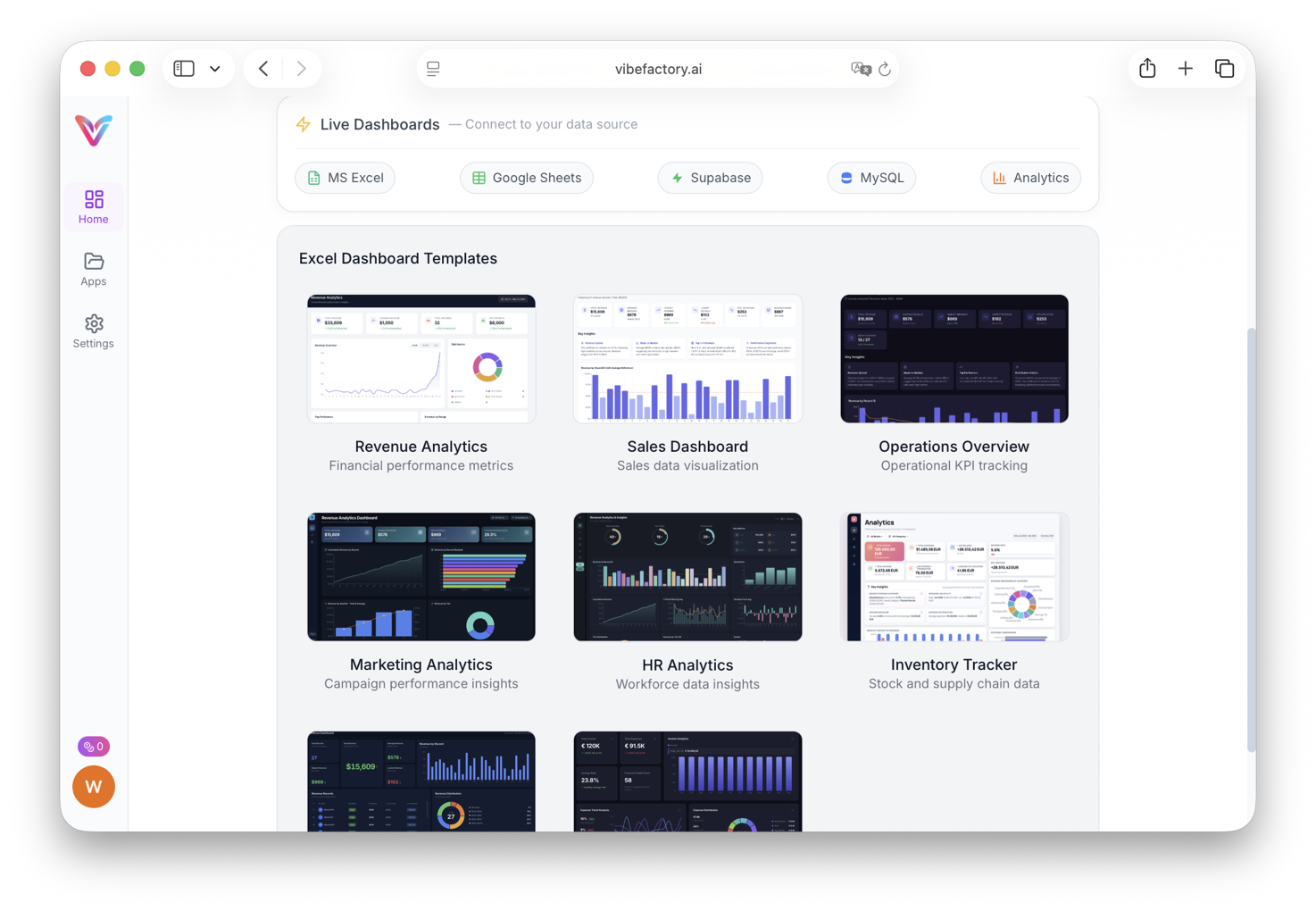
Browse and select a dashboard template that fits your data
Enter Your AI Prompt
Type a simple prompt describing what you want. It can be as basic as "generate dashboard" or include specific requests:
-
✓
"Create a sales dashboard with monthly trends" -
✓
"Generate KPI dashboard with filters by region" -
✓
"Build analytics dashboard with pie charts and bar graphs" -
✓
"Create financial dashboard with dark theme"
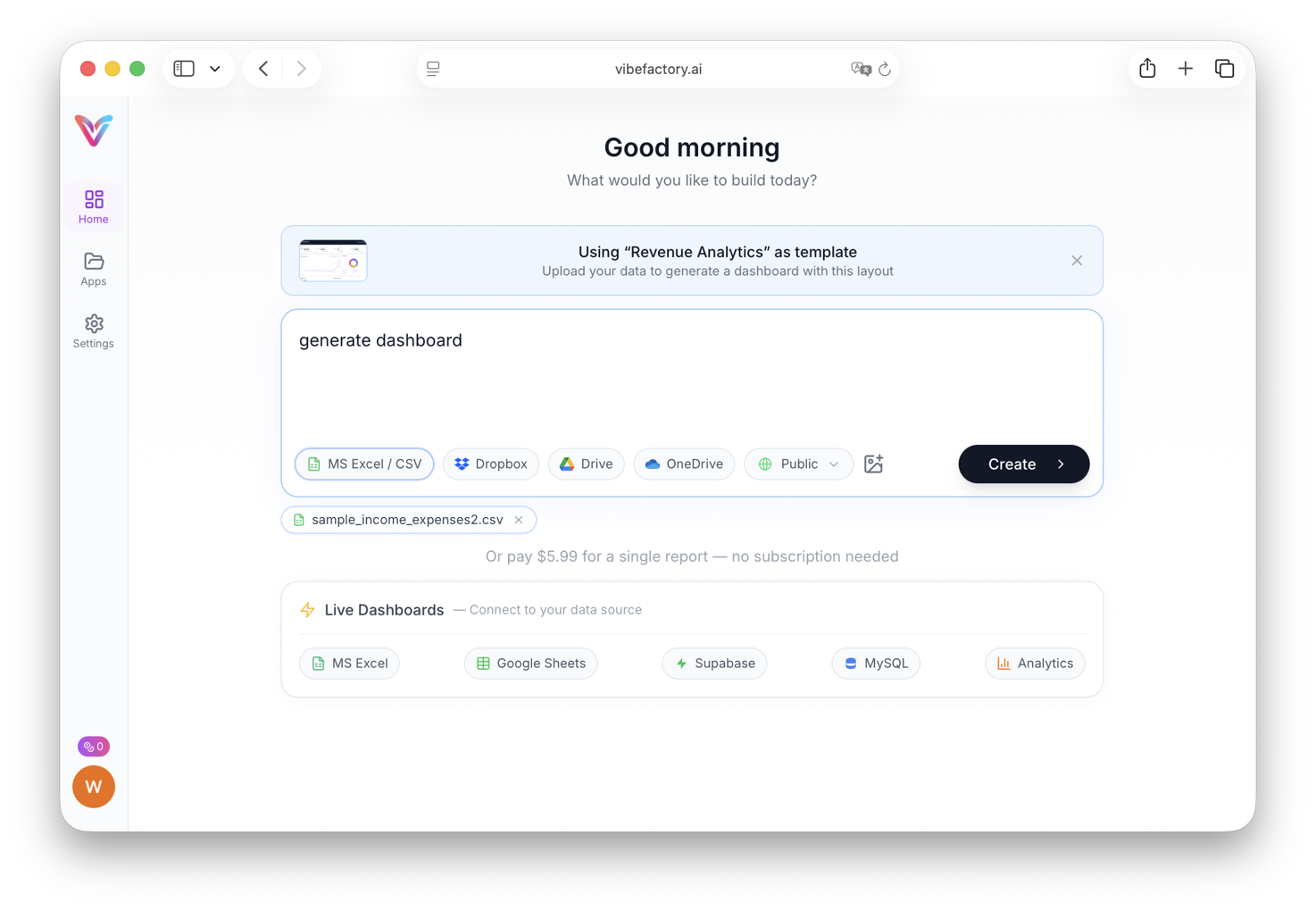
Type your prompt describing the dashboard you want
Choose Your Payment Option
VibeFactory offers flexible pricing so you only pay for what you need. You can purchase individual report credits from $0.99 without committing to a monthly subscription, which is perfect for one-off projects or occasional use. Signing up, uploading your file, and previewing the builder cost nothing, so you can check what you can do for free before paying for your first generation.
Pricing options:
- • Pay per report — buy credits individually and use them whenever you need a dashboard
- • Monthly subscription — get a bundle of credits each month at a discounted rate
- • No commitment — no contracts, cancel anytime, unused credits carry over
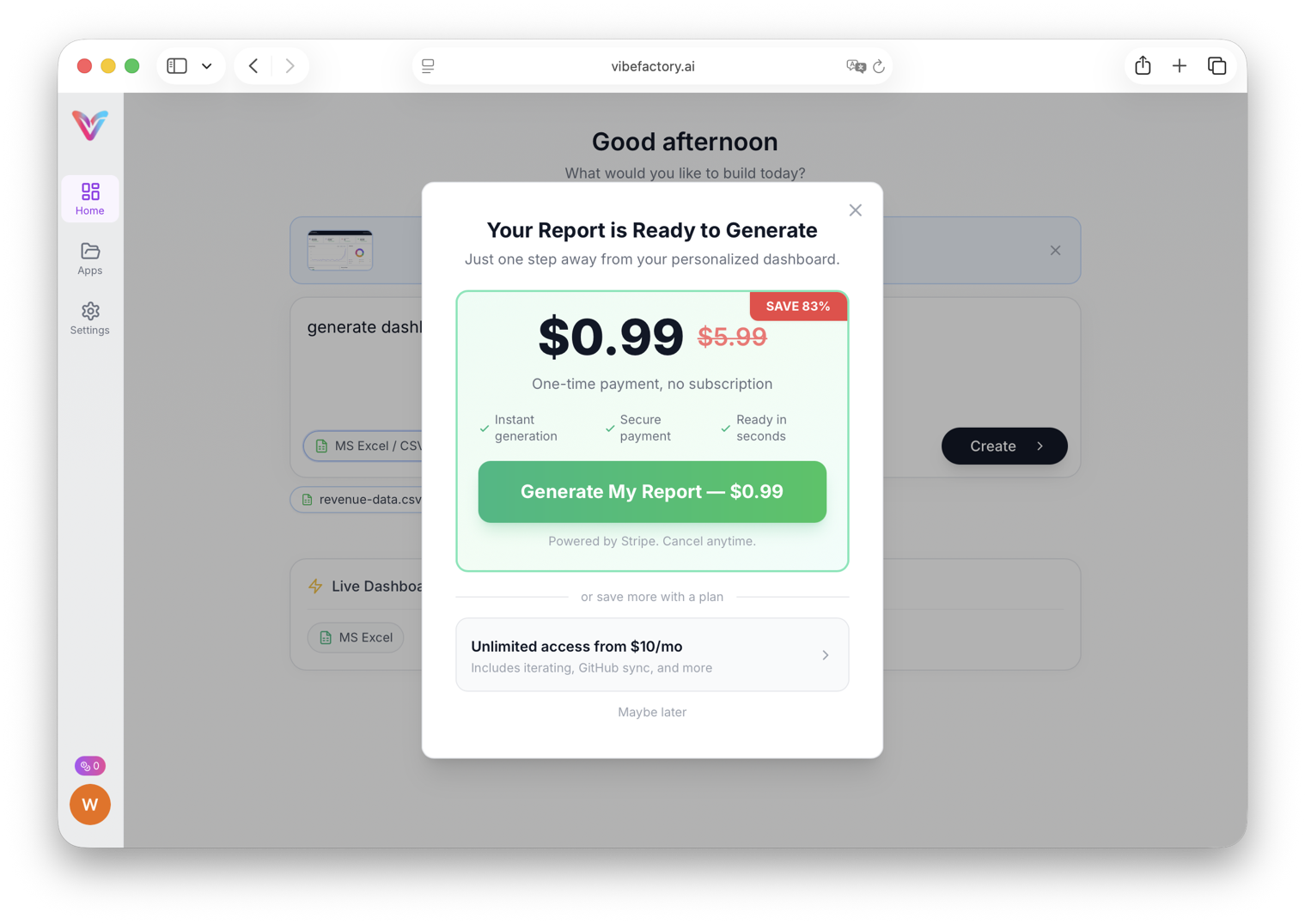
Choose between pay-per-report credits or a monthly subscription plan
Wait for Dashboard Generation
The AI analyzes your spreadsheet data, identifies patterns, and generates appropriate visualizations. This typically takes 30-60 seconds depending on data complexity.
What AI does behind the scenes:
- • Analyzes column types (dates, numbers, categories)
- • Identifies relationships between data points
- • Selects optimal data visualization types
- • Creates interactive filters and controls
- • Deploys to a live URL automatically
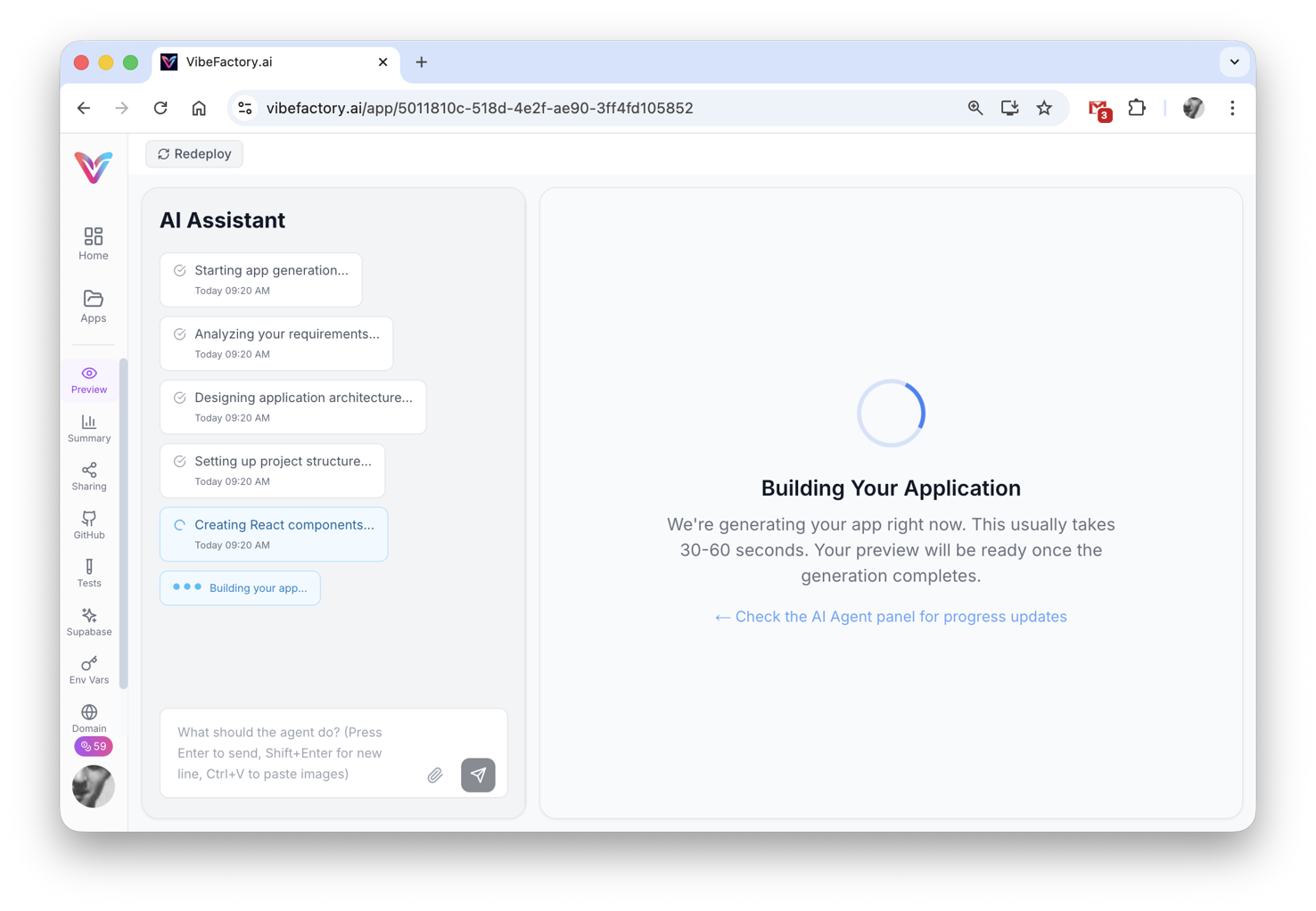
AI analyzes your data and generates the dashboard
Access Your Interactive Dashboard
Your dashboard is immediately available at a unique URL. It includes interactive charts, responsive design, and can be shared with anyone.
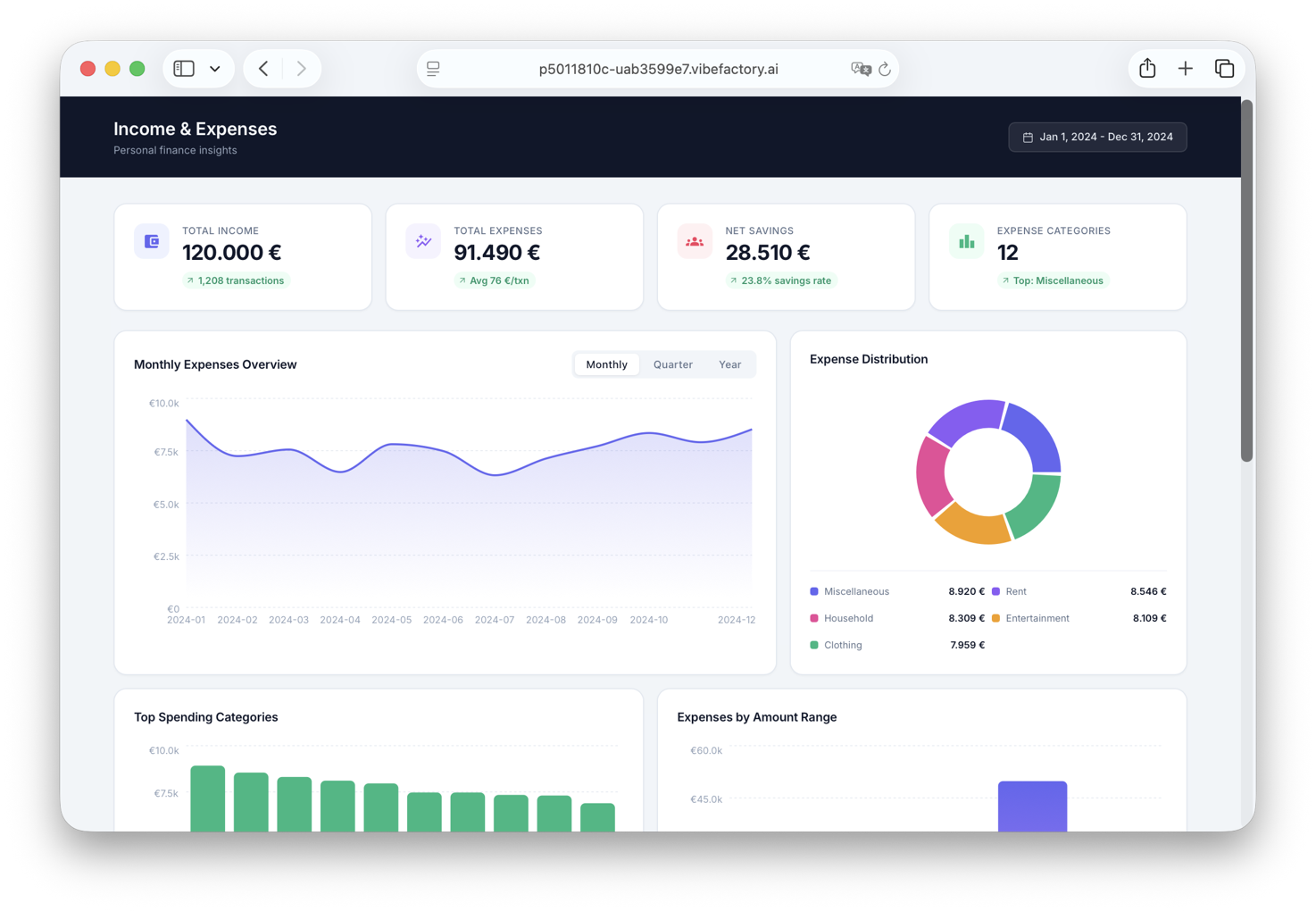
Final generated dashboard with KPIs and visualizations
Interactive charts and detailed analytics views
Have a Different Data Format?
VibeFactory's AI Dashboard Generator works with multiple file formats. Choose the guide that matches your data:
Popular Excel Dashboard Use Cases
📊 Sales Dashboard
Track revenue, conversion rates, and sales performance by rep, product, or region. Perfect for sales analytics and forecasting.
💰 Financial KPI Dashboard
Monitor profit margins, expense ratios, cash flow, and financial metrics. Ideal for CFOs and finance teams.
📈 Marketing Analytics Dashboard
Visualize campaign performance, ROI, lead generation, and marketing KPIs from your spreadsheet data.
🎯 Project Tracking Dashboard
Track task completion, budgets, timelines, and team productivity. Transform project spreadsheets into interactive project dashboards.
📦 Inventory Dashboard
Monitor stock levels, reorder points, and inventory turnover. Perfect for supply chain analytics and warehouse management.
AI Dashboard Generator vs Traditional Methods
| Feature | VibeFactory AI | Excel Native | Power BI/Tableau |
|---|---|---|---|
| Time to Create | 30-60 seconds | 2-4 hours | 1-2 hours |
| Technical Skills Required | None | Excel formulas & charts | BI tool expertise |
| Web Sharing | Automatic URL | Manual export needed | Requires publish setup |
| Interactive Filters | Auto-generated | Manual slicers | Manual configuration |
| Cost | From $0.99 per dashboard | Excel license | $10-70/user/month |
Tips for Better Excel Dashboard Results
-
1.
Use Clear Column Headers
Label columns descriptively (e.g., "Monthly Revenue" instead of "Col1"). AI uses headers to understand your data.
-
2.
Keep Data Clean
Remove empty rows, fix typos, and ensure consistent date formats. Clean spreadsheet data produces better visualizations.
-
3.
Include Date Columns
Time-series data enables trend analysis. AI will automatically create line charts for temporal patterns.
-
4.
Be Specific in Prompts
Instead of "make dashboard," try "create sales dashboard showing monthly trends by region with a summary of top products."
Frequently Asked Questions
What file formats are supported? ▼
VibeFactory supports Excel files (.xlsx, .xls) and CSV files. Upload directly from your computer, support for Dropbox, Google Drive, and OneDrive coming soon.
How large can my Excel file be? ▼
Uploading files is free on every plan. The free plan accepts files up to 5MB (around 50,000 rows), while paid plans support larger datasets up to 100MB with millions of rows. Generating the dashboard itself is paid: it costs $0.99 as a one-off purchase or is included with a subscription.
Can I update the data after dashboard creation? ▼
Yes! You can upload a new version of your spreadsheet, and the AI will update the dashboard while preserving your customizations. To keep data current without re-uploading, connect a database or cloud spreadsheet instead. Our guide on creating an Excel dashboard that updates automatically compares both routes.
Is my data secure? ▼
Yes. All uploads are encrypted in transit and at rest. Your data is processed securely and never shared. For sensitive business data, you can generate private dashboards that are password-protected, only users with the correct password can view the dashboard. This makes it safe to share financial KPIs, sales data, or other confidential analytics with specific stakeholders.
How do I create a password-protected dashboard? ▼
When creating a new project, simply select "Private" from the visibility dropdown before generating your dashboard. Private dashboards are automatically password-protected. You can share the dashboard URL along with the password to give specific people access to your analytics while keeping it hidden from the public.
Can I export or embed the dashboard? ▼
Yes! You can share via URL, embed in websites using iframe, or export to PDF for reports. The dashboard code can also be exported to GitHub for custom hosting.
How fast can I create a dashboard from Excel? ▼
Most dashboards are generated and deployed in 20-30 seconds. Complex datasets with many columns may take slightly longer. The dashboard is live and shareable immediately after generation completes.
What's the best AI tool for creating dashboards from Excel files? ▼
VibeFactory is purpose-built for transforming Excel data into production-ready dashboards. Unlike general-purpose AI tools, it generates complete, published dashboards with interactive charts, filters, and KPI cards, not just code snippets or static images.
How does AI dashboard generation compare to Power BI or Tableau? ▼
Traditional BI tools like Power BI and Tableau require learning complex interfaces, setting up data connections, and manually configuring visualizations. VibeFactory generates dashboards from natural language in seconds with zero training required. The output is also portable, you own the source code and can host it anywhere.
Can I use Excel dashboard AI for business analytics? ▼
VibeFactory is designed for business analytics use cases including sales dashboards, financial KPI tracking, marketing analytics, inventory management, and project tracking. The AI automatically identifies relevant metrics and creates appropriate visualizations for business decision-making.
What makes VibeFactory different from other Excel dashboard tools? ▼
VibeFactory combines instant deployment (20-30 seconds average), intelligent data analysis, and full code ownership. Unlike template-based tools, AI generates custom dashboards tailored to your specific data. Unlike SaaS-only platforms, you can export to GitHub and self-host with no vendor lock-in.
Ready to Transform Your Excel Data?
Create your first AI-powered dashboard in seconds. Upload your spreadsheet and see the magic happen.
Related Articles
Live Excel Dashboard Generator
Create dashboards from Excel files on Google Drive that show your file's current data on every load. Connect once, never re-upload.
LIVELive Google Sheets Dashboard
Transform Google Sheets into live dashboards. Edit your spreadsheet, watch the dashboard update instantly.
DashboardAI CSV Dashboard Generator
Transform CSV exports from CRMs, analytics tools, and databases into interactive dashboards.
DashboardAI JSON Dashboard Generator
Visualize JSON files and API responses. Handles nested objects and arrays automatically.
NewDashboard Templates Guide
Pick a pre-built design and get the exact same UI with your own data. Templates for Excel files and connected sources.