Traditional dashboards have a major problem: they go stale the moment you create them. You export your Excel data, build a dashboard, and by the next day, your data has changed but your dashboard hasn't.
VibeFactory's Live Dashboard Generator solves this by connecting directly to Excel files stored on Google Drive. Keep working in your spreadsheet as usual; every time your dashboard loads, it fetches the file's current data. Reload the page or press Refresh, and the latest numbers are on screen.
What makes it "Live"?
Your dashboard is connected to your Excel file on Google Drive. Every time the page loads, it fetches the file's current data, and viewers can press the Refresh button for the latest numbers: no re-upload, no regeneration.
👆 Live Dashboard - This is an actual embedded VibeFactory dashboard. Try interacting with it!
Using Google Sheets Instead?
If your data is in Google Sheets rather than Excel, we have a dedicated guide for you:
Why Live Dashboards Change Everything
Always Current Data
Your dashboard always shows the latest data from your Excel file. No more outdated reports or stale visualizations.
Zero Maintenance
Update your Excel file as you normally would. No re-upload or regeneration needed: the dashboard picks up the current data on its next load.
Team Collaboration
Multiple team members can update the Excel file, and everyone who opens the dashboard sees the same current data.
Single Source of Truth
Your Excel file remains the master data source. No data duplication, no sync issues, no version conflicts.
Secure Private Dashboards
Keep sensitive data safe with password-protected private dashboards. Only authorized users with the correct password can view your analytics.
How to Create a Live Excel Dashboard in 3 Steps
Open VibeFactory Dashboard
Navigate to the VibeFactory dashboard and start a new project. You'll see the main interface where you can connect various data sources.
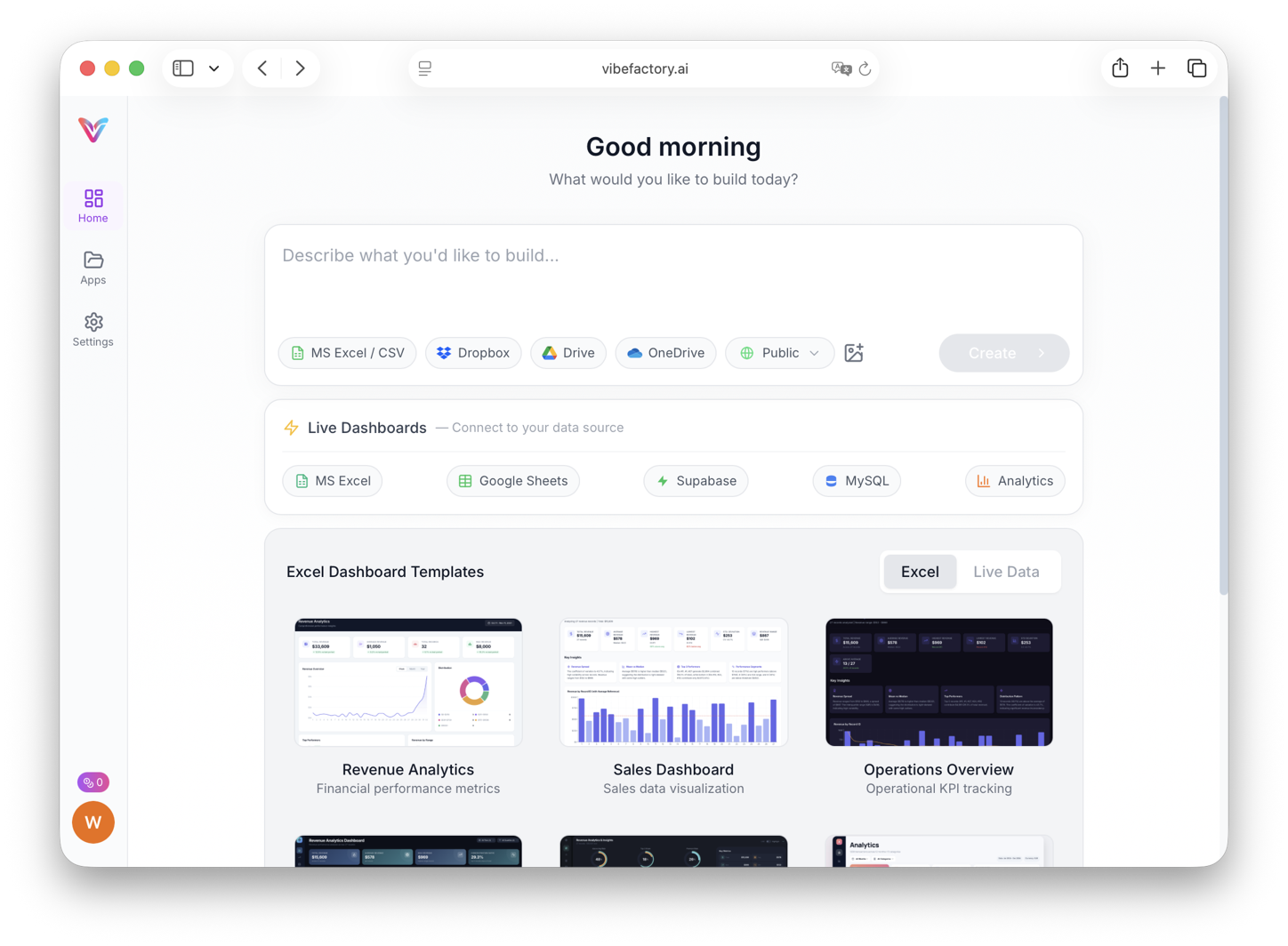
The VibeFactory dashboard interface
Select MS Excel from Google Drive
Click the "MS Excel" button to open the Google Drive file picker. Select your Excel file (.xlsx or .xls) from your Google Drive.
Important: File Sharing Requirements
For your dashboard to access the Excel file, you must do ONE of the following:
- Option 1: Make the file public - Set sharing to "Anyone with the link can view"
- Option 2: Share with our service account - When you select a file, we'll show you the service account email to share with
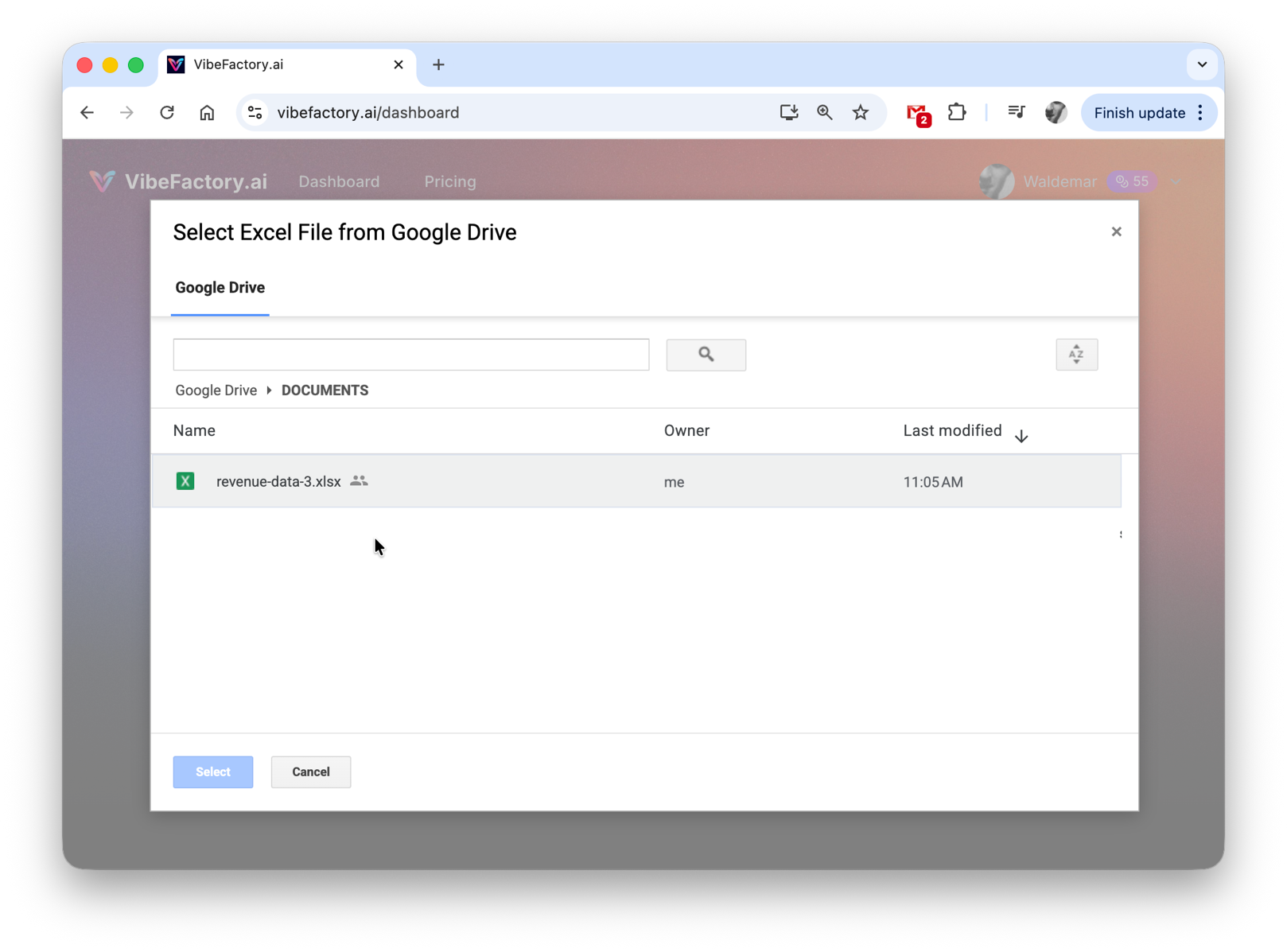
Click "MS Excel" and select your file from Google Drive
Enter Your Prompt and Generate
Type a simple prompt describing what you want, like "generate dashboard" or be more specific about the visualizations you need. The AI will analyze your Excel data and generate a live dashboard.
Example prompts:
- •
"Generate sales dashboard with monthly trends" - •
"Create KPI dashboard with filters" - •
"Build analytics dashboard with charts"
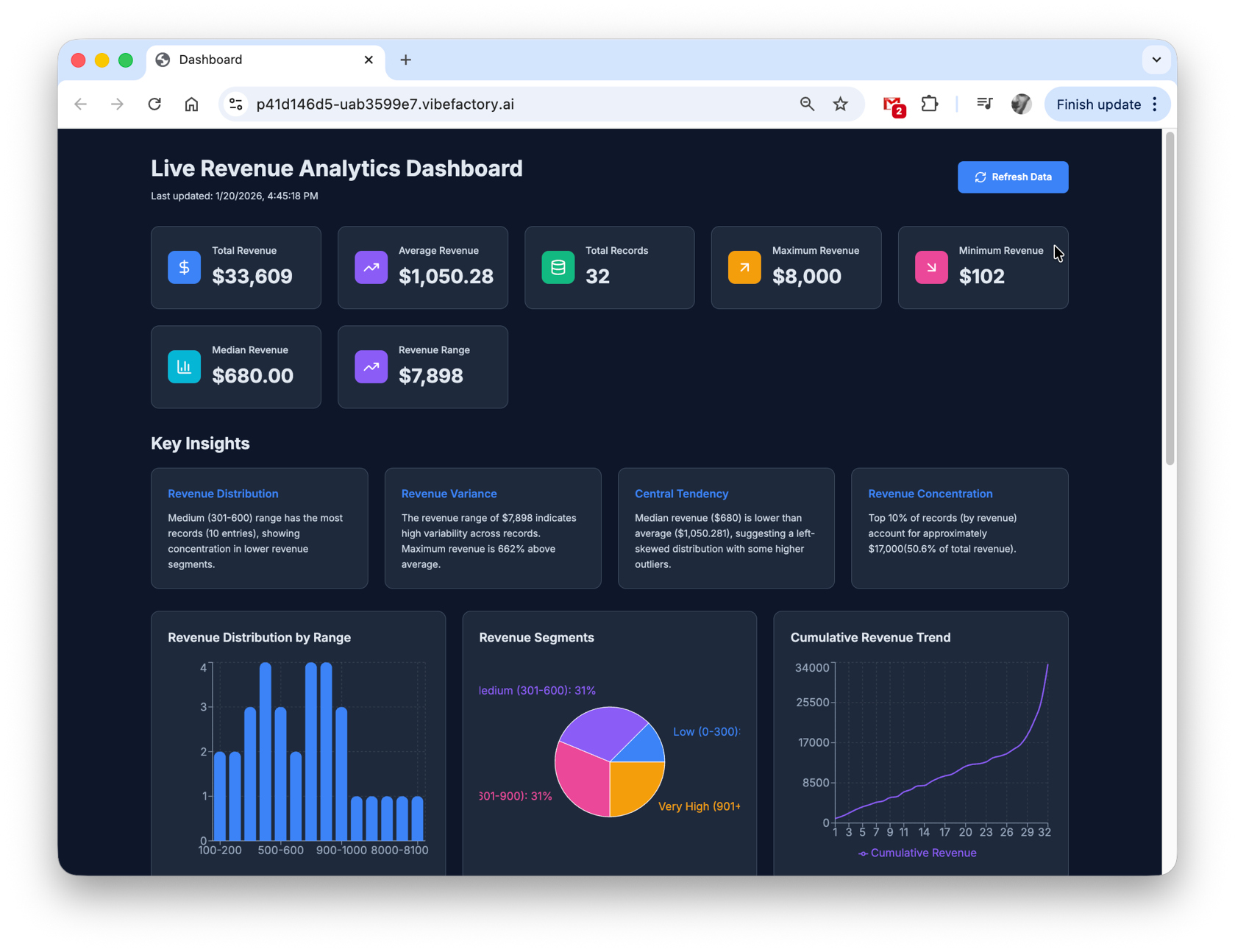
Your live dashboard, showing your Excel file's current data on every load
How Live Data Sync Works
1. Your Excel File
Lives on Google Drive. Update it anytime using Excel, Google Sheets, or any compatible app.
2. Live Connection
VibeFactory maintains a secure connection to your file via Google Drive API.
3. Always Current Dashboard
Dashboard fetches fresh data on each load. Changes to your file appear on the next load or Refresh.
Setting Up File Access
For the live dashboard to read your Excel file, you need to grant access using one of these methods:
Recommended Share with Service Account
- 1. Open your Excel file in Google Drive
- 2. Click the "Share" button
- 3. Add the service account email shown in VibeFactory
- 4. Set permission to "Viewer"
- 5. Click "Send" or "Share"
Your file remains private - only the service account can access it.
Make File Public
- 1. Open your Excel file in Google Drive
- 2. Click the "Share" button
- 3. Under "General access", select "Anyone with the link"
- 4. Set permission to "Viewer"
- 5. Click "Done"
Note: Anyone with the link can view the file.
Perfect Use Cases for Live Excel Dashboards
📊 Sales Tracking
Sales team updates Excel daily → Dashboard shows the current pipeline, revenue, and forecasts every time it loads.
💰 Financial Reporting
Finance updates budget spreadsheet → Stakeholders see live budget vs. actual, expense tracking, and cash flow.
📦 Inventory Management
Warehouse updates stock levels → Dashboard shows current inventory, reorder alerts, and turnover rates.
🎯 Project Tracking
Project managers update task spreadsheet → Team sees live progress, deadlines, and resource allocation.
Frequently Asked Questions
What is a live Excel dashboard? ▼
A live Excel dashboard is a web dashboard connected to an Excel file on Google Drive. Every time the dashboard loads, it fetches the file's current data, so you never re-upload or rebuild anything after updating your spreadsheet.
How does the dashboard stay in sync? ▼
VibeFactory connects directly to your Excel file on Google Drive via secure API. When the dashboard loads, it fetches the latest data from your file, ensuring you always see current information.
Why do I need to share my file? ▼
For the dashboard to read your Excel file, it needs access permissions. You can either make the file public or share it with our service account. Your data remains secure and is only used for dashboard visualization.
Can I use OneDrive or Dropbox? ▼
Currently, live dashboards are supported only with Google Drive. Support for OneDrive and Dropbox is coming soon. For now, you can upload your Excel files to Google Drive to use this feature.
How is this different from regular Excel dashboards? ▼
Regular dashboards are static snapshots of your data at creation time. Live dashboards stay connected to your source file, so updates you make appear the next time the dashboard loads, without re-uploading or regenerating anything.
Can I make my dashboard private or password-protected? ▼
Yes! When creating a new project, select "Private" from the visibility dropdown. Private dashboards are automatically password-protected, so only users with the correct password can view your data. This is ideal for sensitive business metrics, financial KPIs, or confidential team analytics.
Ready for Always-Current Dashboards?
Create your first live Excel dashboard in minutes. Signup and upload are free; dashboards start at $0.99 one-off or come with a subscription.
Related Articles
Live Google Sheets Dashboard
Create dashboards from Google Sheets that show your sheet's current data on every load.
DashboardAI Excel Dashboard Generator
Upload Excel files directly and create static dashboards instantly.
DashboardAI CSV Dashboard Generator
Transform CSV exports into interactive dashboards.